Your world
World
Characters, settings and every other kind of element in your story, on cards shaped by templates.
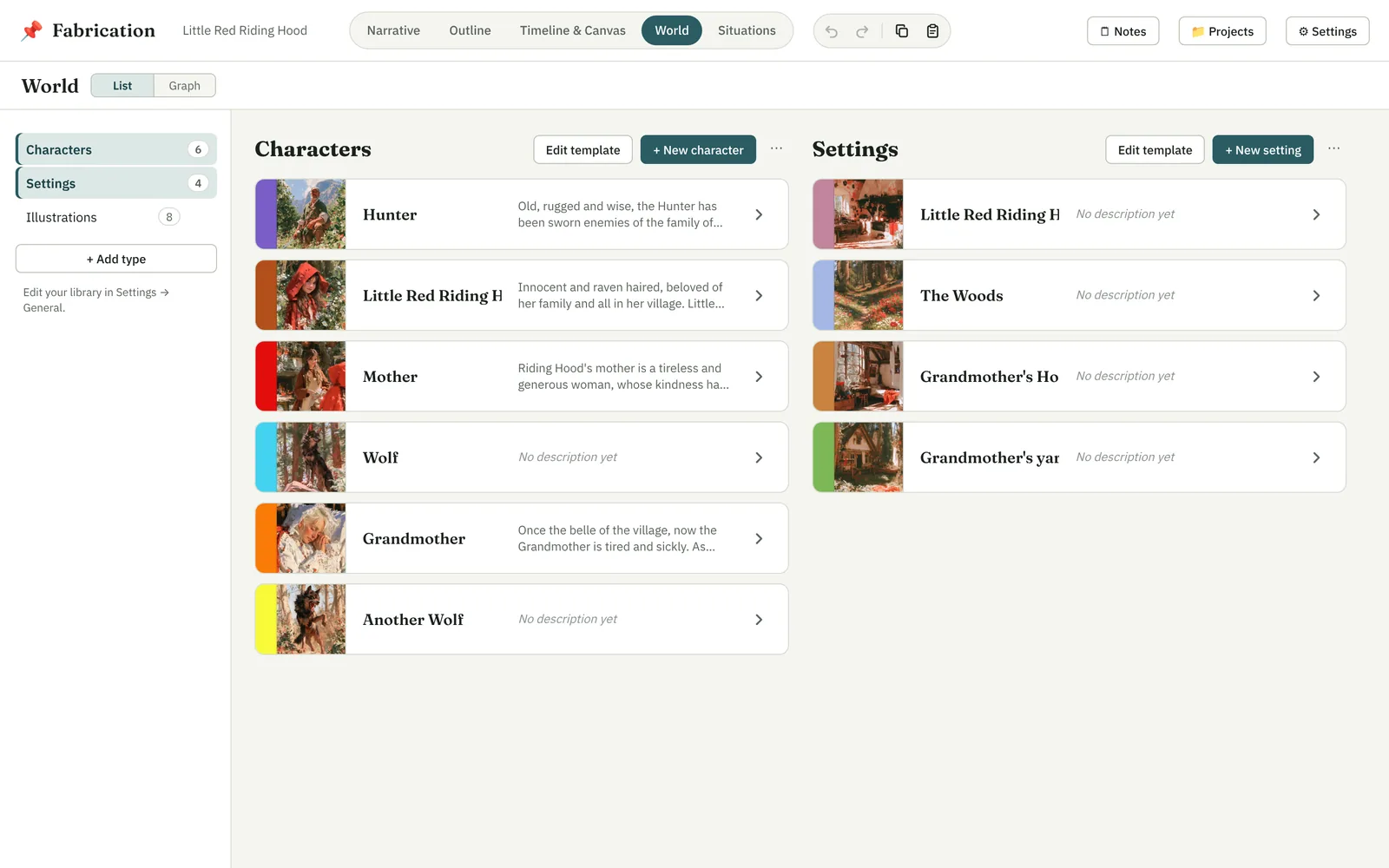
The World holds everything your story is made of. Each thing — a character, a setting, a faction, a ritual, a key prop — is an element, and each element has a type.
Types
Your project's types are listed down the left, with how many elements each has. Characters and Settings are always there; add others with + Add type — from your template library, or a new one of your own. Show two types side by side by ⌘- or Shift-clicking a second one.
Cards
Each element is a card: its colour as a band down the left edge (click it to choose another), its picture, its name and the start of its description — and, for characters and settings, the scenes it's in. Open a card to see and edit all its fields, add images, and see what links to it.
- + New character, + New setting (and so on) add an element.
- A setting can be inside another setting — the van inside the dusty city.
- New characters and settings take a colour from the first letter of their name, if you've turned on default colours in Settings.
Templates
A type's template decides the fields on its cards. Edit template opens the editor: drag fields to reorder them, hide them, rename them, and add new ones — short or long text, a list, a number, a checkbox, a choice, tags, a link to another element (or several), or an image. A live preview shows the card as you go.
Your template library, in Settings, keeps your templates for every project. A project copies the templates it uses, so you can change them for one story without changing them for the others.